React Weather App
A weather app built with React and API intergration for my SheCodes React Workshop project.
Technologies
- React
- CSS3
- HTML5
- Bootstrap
- API intergration
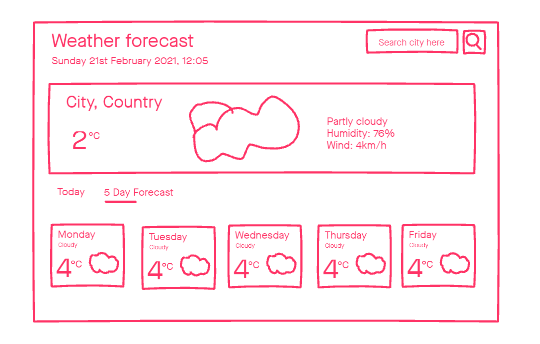
For the SheCodes React Workshop, we went through the process of creating a Weather App. It started with the design and creating a wireframe of how I wanted it to look. I took inspiration from a hiking website on Dribbble. I wanted the design to be beautiful and simple.
Creating the website
The workshop led you step by step how to create the app, but the design they focused on was very different to mine. I found I came across challenges where I needed to create different components for sections of my page and figure out for myself how they worked together. I found this a steep but essential learning curve. Moving away from their design helped me to learn more and deepen my understanding of React.
I started with the search functionality. I learnt how to get the current geolocation to create a current location button. This search result was then used to call the API to find the current weather for that location.
Next up I added the forecast component. This looked quite intimidating at first but learning how components could be reused and I mapped the daily forecast to give 6 days of weather.
For this section I used a different API call to allow for multiple days to be retrieved. The API used for current forecast only pulled in one day of data.
Extra features
I wanted to add something different to my weather app. I really appreciate using dark mode on my mobile so I thought that would be a great place to start. I researched ways I could achieve this using React and created a component that toggled dark mode state based upon a checkbox that I styled to look like a toggle slider.
I didn't like the look of the icons used on the course so I hunted for some that I could use. I found some animated weather icons that I liked and worked out how to include them. Although I found them on npmjs.com, there was no way to install them at the time, so I referenced all the svg files and mapped them to the code pulled from the API.

Building a responsive layout
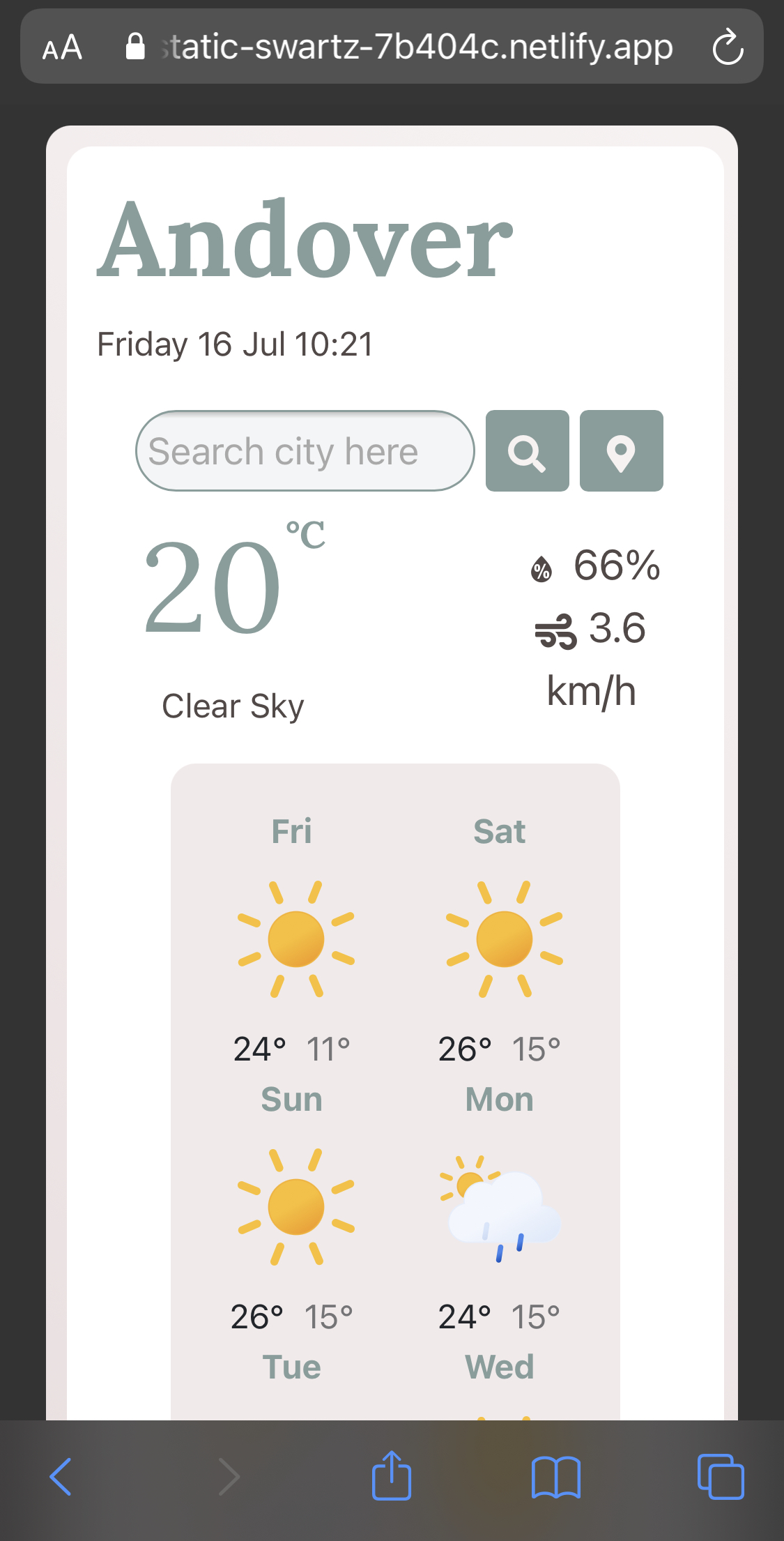
During the workshop it wasn't essential to create a responsive website. However, I wanted to make it accessible on mobile so I added further Bootstrap classes to make it a responsive design. I have hidden the dark mode toggle functionality on mobile as well as the image. This gives the website a much cleaner look on mobile phones.
Future improvements
I would really like to remove the dark mode toggle and have it automatically change when the sun sets and rises in the default or current location.
I would add an alert if you've made a spelling mistake, not entered a location or it's unknown in the search bar.
Celcius to Fahrenheit conversion. As part of the course I did learn to do this and it was implemented in the current weather. I removed the functionality as I hadn't given this ability to the forecast or the wind speed. In the future I would like to add this functionality back fully.
View the React weather app or visit the Github repository for this project.